How to make a labor, equipment mobilization plan in Primavera P6
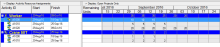
In a project plan beside the Start and Finish date of activity, we also need to know When we need resource, and How many resource we need.
I will show you how to do it.
Filed Under
In a project plan beside the Start and Finish date of activity, we also need to know When we need resource, and How many resource we need.
I will show you how to do it.
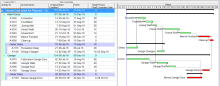
The Impacted As-Planned method measures the impact of the delays on the as-planned schedule. The delays are formulated as activities and added to the as-planned schedule showing the effect of each delay and demonstrating how the project is being delayed. The amount of delay equals the difference in completion dates between the schedules before and after the impacts.
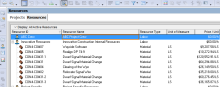
The SDK (Software Development Kit) is an awesome tool that allow P6 database to connect to excel and exchange information in order to create the schedule using excel. But sometimes the SDK is not installed on the Primavera machine and the scheduler doesn’t have the privilege to install it or the resource sheet in the SDK is not working with P6 version that the scheduler has. In this article I will show you how to create the resources dictionary using excel and without the need to use the SDK or XER Parser tool.

Baseline is something we usually do not change. However in some case we need to change it.
I will show you how to do it.
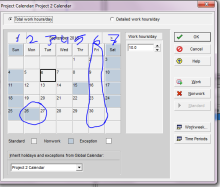
The Claim digger or Schedule Comparison is a widely used tool in P6 to compare between two projects and detect the differences.
One of the main shortage of the Claim Digger or the Schedule Comparison tool is detecting the changes in calendars.
The tool will not detect any revisions in calendars working hours or changing from Project to Global calendar if both have the same description.
Claim Digger will tell us nothing about calendars other than whether the name of the calendar is different.
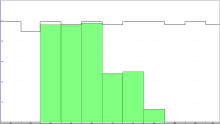
Unfortunately when it comes to resources and resource leveling, P6 model is absolute. P6 doesn’t calculate the float correctly and the longest path will not be accurate since the late and early dates will not change after leveling.
Primavera P6 doesn’t take in consideration the new dates after the leveling in calculating the total float or the longest path, to illustrate further if we have a project consists of three activities A,B & C and they all share the same resource and each activity 5 days duration and the project completion after 15 days.
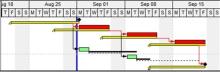
The negative float is a very popular hot topic in the scheduling field and it’s generated when the late dates are less than the early dates and usually it’s accompanied with a delay in the project, and a lot of project management professionals think that the only reason for a negative float is because a constraint that has been used in the schedule. Although the first thing you look for when you see a negative float is the constraints that are applied to the schedule, but that not the only reason that generates the negative float in P6.
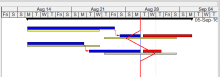
Primavera provide a tool called Progress Line to compare Actual Progress (Activity % Complete) with Baseline on Gantt chart.
I will show you how to do it.
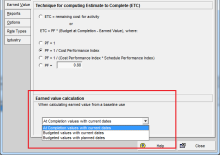
Primavera P6 give us an option to decide that Baseline date is equal to Planned date or Current date.
The main purpose of this option is for Earned Value calculation.
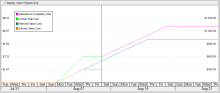
Primavera support you to control project performance by Earned Value Management technique.
I will show you how to use it in Primavera.