How to remove actual / progress from Primavera P6 schedule
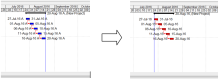
We have a Primavera schedule with actual data. Now we want to remove the actual so that we can have an As-Planned schedule.
I will show you how to do it in this article.
Filed Under
We have a Primavera schedule with actual data. Now we want to remove the actual so that we can have an As-Planned schedule.
I will show you how to do it in this article.
After downloading the installation file from Oracle, unzip it.

One of the good things about being a consultant is being able to find (or build!) more opportunities across a wide range of projects and clients an
In Resource window -> Details tab, there is an selection box called “Currency”.
In Primavera P6 -> Resources window -> Units & Prices tab, there is a selection box called Shift Calendar
Normally when we Level Resources, Primavera will delay an activity so that Resource is not overloaded. It can make Project Finish date delay.
How can we make Project Finish date not delay? I’ll explain in this article.
In Primavera we have a function called “Top Down Estimation” which help us to calculate an estimated figure for Labor and Non-labor unit based on “estimation weights”. It can apply to WBS and Activity.
In Primavera, when we filter critical path, it only show 1 critical path. In complicated project, we might need to show some more “near critical” path.
I will show you how to do it.
Primavera have a function (called Level Resources) to solve the overload resource problem.
I will explain how does it work in this article.