Understanding the Planned Dates in Oracle Primavera P6

By Yaser A. Al-Bustanji CPCM, ACIArb, PMP, PMI-SP, PMI-RMP, November, 2017
Introduction
Filed Under
By Yaser A. Al-Bustanji CPCM, ACIArb, PMP, PMI-SP, PMI-RMP, November, 2017
Introduction

Agile is an effective software development framework. Teams using Agile deliver value in short, iterative, increments. The starting point of the delivery cycle is the Product Backlog.
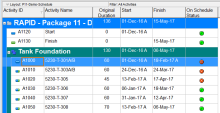
In Primavera P6, we can quickly identify behind schedule and over budget activity by using graphical indicator in User Defined Field.
I will show you how to do it.
Supposed that we have a project which has baseline. After update progress, we can show these column the see whether an activity is behind schedule:

Effective communications are the cornerstone to successful projects and productive teams. The Agile Manifestoextolls the virtues of collaboration, individual interactions, and face-to-face communications. Projects represent our ability to coordinate the work of many people to accomplish a goal. It is no surprise that project managers spend

"Enhance opportunities and reduce threats by aligning sub-portfolios, programs and projects to meet organizational strategic goals"

In Primavera P6, after finish creating the schedule, you may need to assign resource to activity to make the resource plan.
I will show you how to do it.
Let say you have a schedule like in below picture:

Projects with involved stakeholders are far more likely to be successful. But many projects suffer from low engagement from executives, users, and key stakeholders.
The PMI’s Pulse of the Professionsurvey found that projects with high executive support were 40% more likely to be successful than those with low engagement. However only 60% of executives were actively engaged.

GAO IS WRONG:
Activities have hundreds of fields and many might still be active if you only change a few.

GAO Schedule Assessment Guide Best Practices for Project Schedules suggests keeping deleted activities and logic while setting duration to 0. See page 140 of 240.

Why so many poor schedules?
Schedule logic is not the issue, what makes our schedule models so poor is how we deal with resources. Without resources nothing is done. Schedules that do not take into account all resource constraints are incomplete and most probably wrong.
We favor simplicity over substance and give the project manager very poor schedules he must manually adjust as soon as he realized the plan is no good.

Changes to the Baseline must be accommodated so that the baseline accurately represents the current plan.