Primavera p6 WBS grouping bands in excel
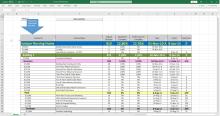
PLeae find the below Youtube link for the video how to prepare color bands of WBS in excel with one click
PLeae find the below Youtube link for the video how to prepare color bands of WBS in excel with one click
Primavera Tips and Tricks
Tracing logic to a targeted activity using Primavera P6
Project Controls – Planning and Scheduling
July 2018 By David H. Doughty, PSP
Introduction:
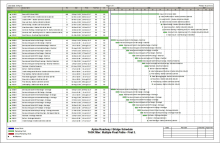
In this post, I will show you how trace logic to a targeted activity on your project by utilizing Multiple Float Path functionality in Primavera P6.
Title: "How to use P6 various percentages in project control?"
Author: "Deyi.zhang/张德义"
Title: "How to use P6 to build a planning system for power plant construction?"
Author: "Deyi.zhang/张德义"
Title: "How to use P6 to realize interface management in large-scale engineering projects?"
Author: "Deyi.zhang/张德义"
Title: Retain or Override – The question is logical
Author: Stephen J.C. Paterson
Edit; ScheduleReader™ (previously PrimaveraReader™) has been rebranded, please see http://www.planningplanet.com/advertisers/schedulereader
"Activities Spanning More Days than it should in a Primavera P6 Schedule" by: Zoltan Palffy Jr.
Abstract:
Problem: After having created and updated a CPM schedule using Primavera P6 you notice that some 1 day activities are spanning 2 days. How could this be possible?
Author: "Possible Causes of Primavera Account & Data Corruption"
Astract:
Possible causes od Account and Data Corruption - this article explains how potential damage can be caused to user accounts and schedule data in P6
Author: "Moving from Primavera P3 to P6 EPPM"
Astract:
Moving from P3 to EPPM, this article defines the methodology around moving from the old Primavera P3 into the EPPM or P6 Professional environment.