Programme Planning Standards: The Rules of the Game

Programme Planning Standards: The Rules of the Game
Programme Planning Standards: The Rules of the Game

Fed up with adverts from software companies and consultancies that are going to change the world of Planning and solve all your project problems?

Fed up with adverts from software companies and consultancies that are going to change the world of Planning and solve all your project problems?

Fed up with adverts from software companies and consultancies that are going to change the world of Planning and solve all your project problems?

Fed up with adverts from software companies and consultancies that are going to change the world of Planning and solve all your project problems?
Project management is having a quiet identity crisis. We have reached an inflection point. Interest in Waterfall and Agile has waned. Hybrid is still ill-defined. Everyone talks about AI, but its impact on the profession remains unclear.
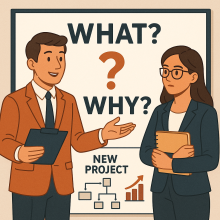
What are we doing? And why are we doing it? These are the first two critical questions that must be asked at the start of every project. However, they often go unanswered!
The nominal “what” is often provided. Implement a new system. Launch a new program. Build a road or bridge. However, the “why” is frequently unclear or poorly defined.
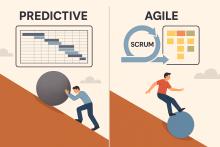
Agile planning should be simple. Agile embraces flexibility, adaptability, and incremental delivery. Therefore, planning processes are designed to be lightweight and time-efficient.
Many organizations struggle with Agile planning. Remnants of the predictive project mindset are often the culprits. The result is impractical plans, wasted effort, and compromised value.
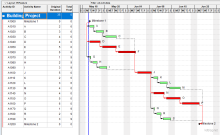
Primavera P6 Professional version 21 introduces a powerful new feature that allows you to highlight different types of critical paths – making it easier than ever to analyze project schedules from multiple perspectives.