Error in Uploading Activity Excel to P6
Featured Partner



Top Posters
Ashkan Mohammadi
0 posts
Jeroen De Bauw
0 posts
Senior Planning Engineer
0 posts
Kristian Mcwilliams
1 posts
dagogo dan - jumbo
2 posts
Alex Lyaschenko
27 posts
James Williams
75 posts
xerxes
0 posts
edwin
0 posts
jhalluk69
0 posts
Our Partners












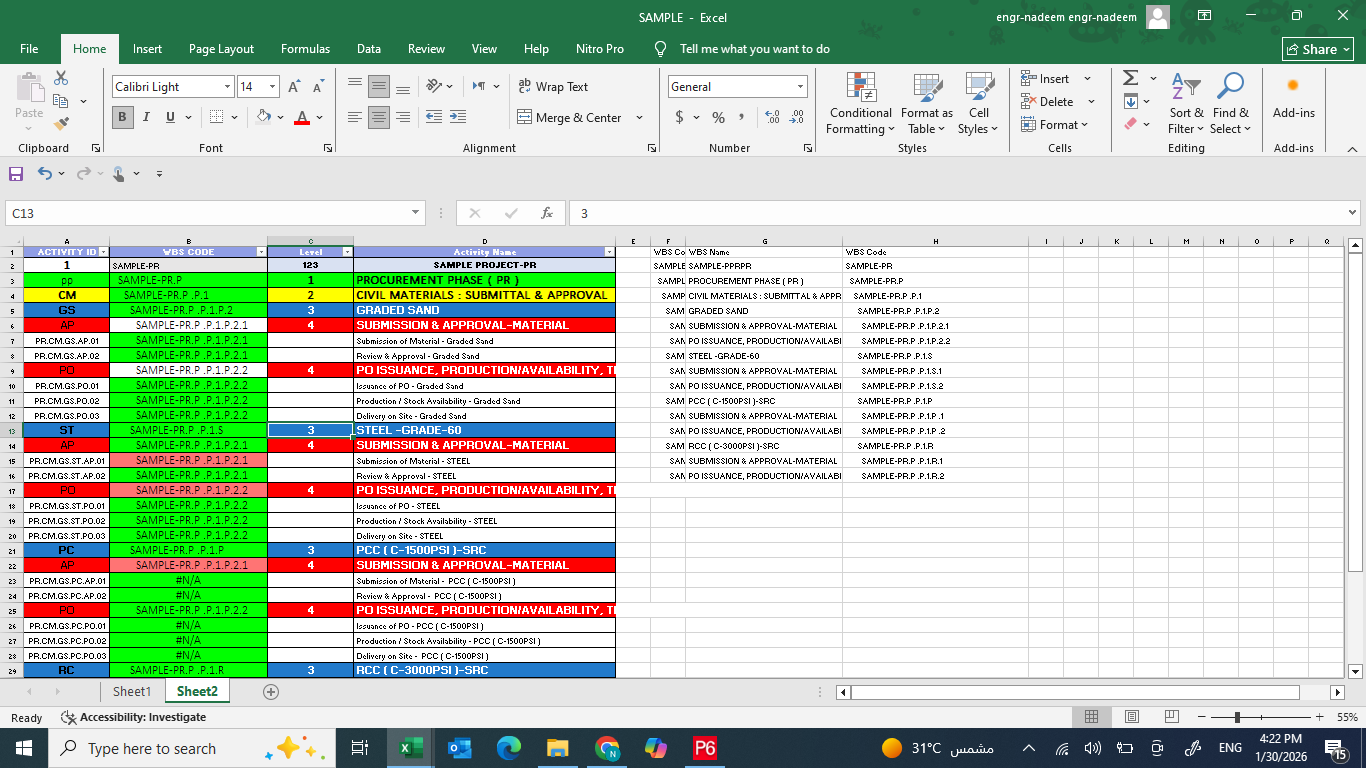
Please check the WBS code in the white cell is correct, butthe red cell is repeated in all cells. Kindly tell us where i make mistake in excel sheet or p6
I am waiting for your positive response
Dear Engr.,
Good day.
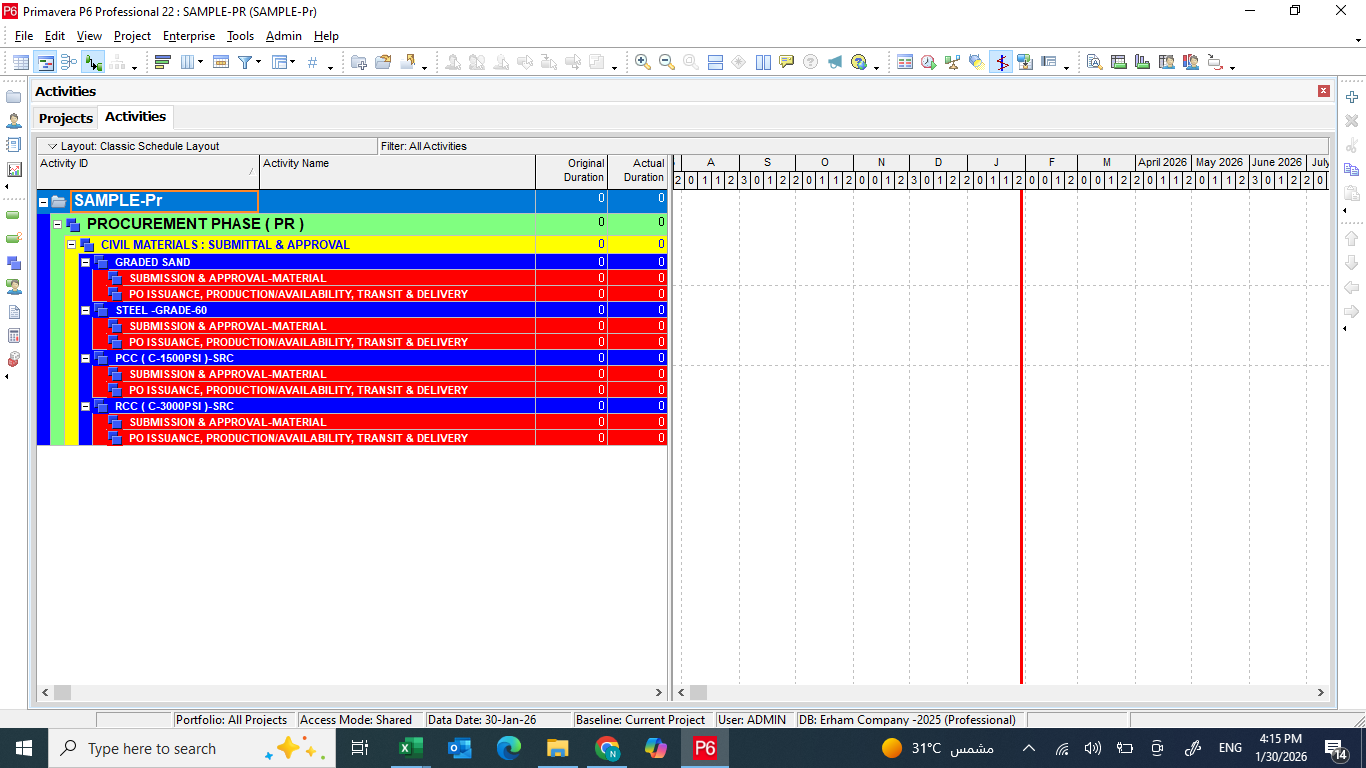
I would like to inform you about an issue I encountered with the WBS in Primavera P6.
The WBS was prepared in an Excel sheet and uploaded successfully into P6. After that, I entered the WBS codes in the activity Excel sheet using the VLOOKUP command, and the file showed no errors.
However, when I uploaded the activity sheet into P6, the activities were not loaded under their respective WBS locations.
Kindly advise on how this issue can be resolved.
Thank you.
Regards,