I am having a problem importing a project. When I try to import and click on finish I get a dialogue come up asking me to select currencies from Admin menu to find a matching currency. It is set default to US dollars and I can't change from here. If I go to User preferencies and change to UK Pounds and try to import again it still will not let me import it and comes up with the same dialogue.
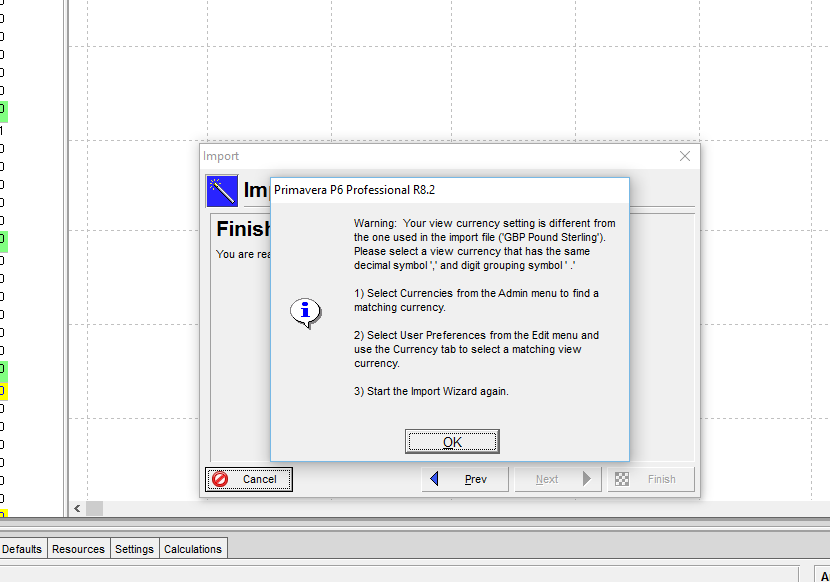
Could somebody advise please?















Hi Steve,
retrieve the XER file on your hard disk, and open the file with any text editor (not MS Word!)
on the 1st line of the file, you will find the currency in use by the person having exported the project; a little bit lower, the decimal and thousand separators;
it is possible to change these data: currency by keying in the correct currency code (USD, EUR, ...) and the separators (dot, comma)
then save the XER file and try to import it again
Alexandre