I have been trying for the last hour to update a baseline schedule, but everytime I assign it to my current schedule the baseline dates are incorrect.
Even when I delete the baseline I still have a baseline start, finish etc. I've tried creating a new baseline and even that didn't work.
So I have an activity with Start Date 6th August, but a Baseline Start of 28th May. I want my baseline date to equal the current planned start date. There is no baseline currently assigned to the schedule but I still have a baseline start?
Any help would be greatly appreciated.
Thanks



you have it backwards your baseline dates will NEVER be equal the current planned start date unless EVERYHING is exactly as originally planned which NEVER happens.
The baseline is created 1st then the basline is copied and the update is applied to the copied baseline
Schedule baseline and user baselines are two different concepts in Primavera P6. It is possible to assign both of them in Primavera P6. Customize the columns and add planned dates, early start and early finish dates, you can easily find the dates which are different than baseline. If you want you can check this document for user baselines in primavera p6.
- ... it is noted that the Planned dates have a highly complex, two-way interaction with other fields in the schedule; Planned dates are neither static like baseline dates nor dynamic like Early and Late dates.
Understanding the Planned Dates in Oracle Primavera P6
Understanding P6 Dates
Raphael,
That link is as good an explanation of the issue as I've seen anywhere. Unfortunately, Paul Harris's presentation doesn't really explain (well) why re-setting the planned dates equal to current dates is a bad idea - other than the fact that you have to be diligent in running the global change. After all, if the planned dates are junk, then anything based on them is also junk. Why not fix them so they are not junk?
Properly setting the Admin Preferences for Earned Value as Paul shows may provide the key to Emma's issue. I don't think it helps the many contractors who submit monthly xers to Owners and Consultants, many of whom are likely to have the default settings.
http://eastwoodharris.com/DL/TP/110616_P6_V7_What_Baseline_Bars_am_I_Displaying.pdf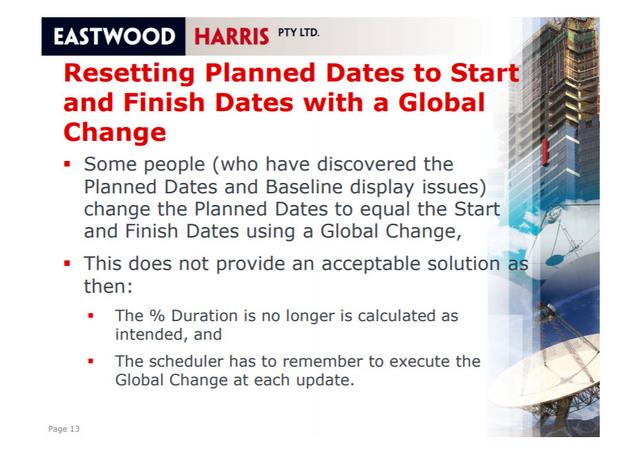
Emma, I think your issue comes down to two issues:
If the Baseline was created from a partially-progressed project schedule, then those Planned dates might not equal the actual dates. To head this off, some experienced schedulers (including Zoltan, I think) routinely run a global change to reset planned dates equal to current dates for almost any project, including those that eventually become baselines.
[For unprogressed activities, the Planned start/finish equals the current start/finish. When an actual start is recorded, the Planned dates are frozen at the values they were before the progress was recorded. If you update ALL progress before F9 (with a new data date), then the Planned dates for each activity with progress represent the activity's forecast dates as of the last update before it started. This may provide some (minimal) value for those without external Baselines. Any variation in the order of progress updates versus F9 can quickly make Planned dates meaningless or worse.]
P6 doesn't allow baselines inside baselines. When you restore a baseline and open it, P6 does the same as it does for any other project without an embedded baseline. I.e. BL dates = Planned dates.
I tried to attach a picture but my browser settings won't allow.
Basically I have a Baseline assigned to the schedule. I realised one of my baseline dates was incorrect.
So I restored the baseline making it a separate project.
I went into the Baseline schedule to correct the date and the planned date on that changed. However this schedule appears to have a baseline attached, despite me not creating a baseline for this schedule.
When I go back to my current schedule and reassign the baseline schedule it pulls through the baseline schedule's baseline start date rather than the baseline schedule's current start date.
Surely I should be able to rebaseline a schedule and the baseline dates will then reflect the current planned dates?
I do not know who you have it attached and assigned and what columns that you are looking at
But it's a separate project. The date on the baseline schedule is incorrect and so I've restored it to a separate project and I have changed it to the new start date, why is it not reflected when I reassign the updated baseline?
you never ever update a baseline. You copy the baseline and then you update the schedule and leave the basline in tact