Hello Folks,
I need your help in this.
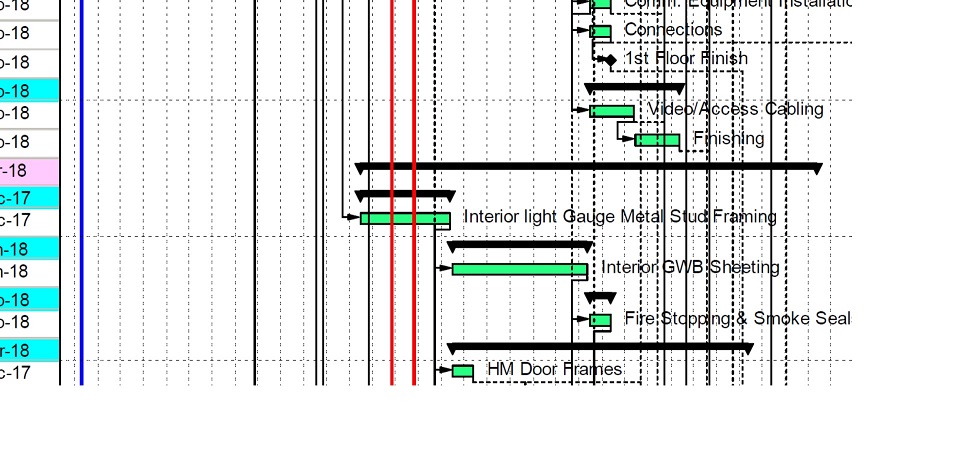
While I know that the Relationship line colours (black and red) cannot be changed in P6, I need help in changing the relationship line size/thickness. Especially the red one for Critical Path. I have searched through the menus and option but with no luck. I noticed the lines are quite fine when in activity page, but once I get into the print preview, the Critical Path Relationship lines gets uncomfortably bigger and shows as such when printed. Below is an example of what I mean.
Regards



You can't directly do that. However there are two possible workarounds.
1)Print the layout in PDF and Then use Adobe Acrobat professional Post Production tools > Fix Hairline option to change line sizes to whatever you are need it to be. Sometimes this is not successfull and you need more advance programs like Pit stop.
Or:
2)The other simpler option is using visualizer to draw the gant chart and using visualizer option> lines >relationships > line thikness to change the relationship line thikness. I prefer this method as I can change anything from colors of diffrent relationship types, style, weight and even line drawing styles. and yes the relationship colors can change but in visualizer.
cant