Dear All,
I am trying to configure a second database for the Primavera P6 version 7 installed with an Oracle Database in my laptop running windows 8.
I have Installed SQL Server 2008 R2 with SP2.
Now I go to the P6-7 Client Installation CD and run the dbsetup from the folder .
I select/insert the following data
DBA user: sa
DBA Password: sa
Database hostname: mycomputer\SQLEXPRESS
Database Port:1433
Now, after I press next it says connection refused and the following screen comes up.
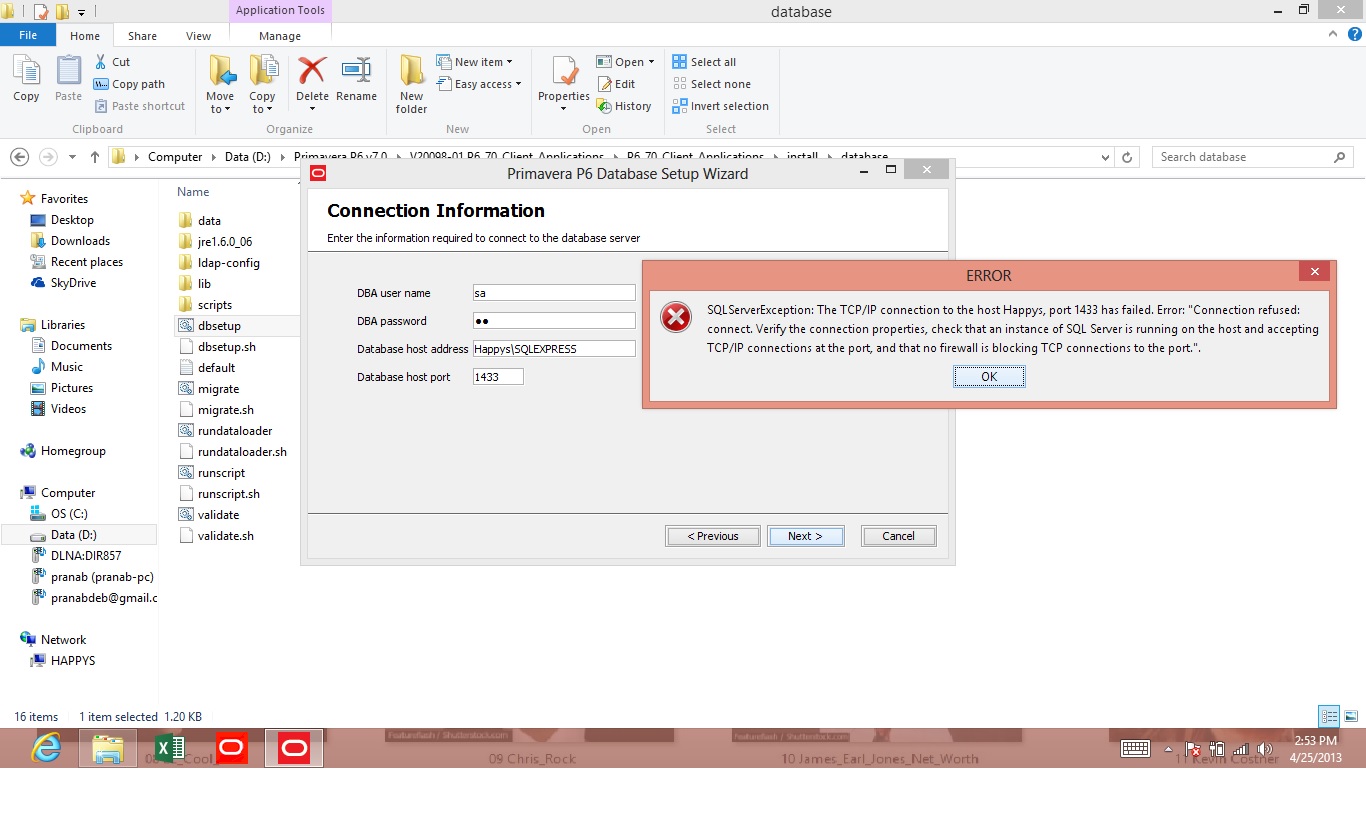
I have already tried the following as advised by a friend, but without any luck
- Checked if the sql server services is active
- Checked the TCP port number and used the same port number when you create a new database.
- Created an exception in the firewall for this port 1433
- Tried with computername\SQLEXPRESS in host name.
Now, please let me know where I am doing wrong, and what I need to do to setup the second Database.
Thanks you and regards
Pranab



Have you tried username "pubuser" and password "pubuser" ?
Get inside the MS SQL Server 2008 and check if the database name really exists. Did you manually install the database? (I suppose so, since P6 has not been making MS SQL now as the default database since P6.7)
Can you post the snapshot of the SQL Server Configuration Manager?
If the database exists, then there's a problem with the connection.
Your photos are too small. Anyway, is the database new? Make sure you are typing the name of database.
Send me the snapshots at [email protected]. I think I know the problem.
Hi Artagnan,
You are a genius man!
I could configure the SQL Database, Now the problem is, I cannot connect to the Database alias, Do you know what is wrong
[[wysiwyg_imageupload:1608:]]
[[wysiwyg_imageupload:1609:]]
This is the message that comes
Bad public user name or password. Database Server Error: [DBNETLIB][ConnectionOpen (Connect()).]SQL Server does not exist or access denied.;
Please advice if you know any turnaround.
Regards
Programs --->MS SQL Server 2008 ----> Configuration Tools ----> SQL Server Configuration Manager
Then Click SQL Server 2008 Network Configuration ---> Protocols for SQLExpress (Double Click)
Then Click TCP/IP ----> IP Addresses ---> Scroll Down to "IPAll" ----> Change the TCP Dynamic Ports to '1433'
Then you have restart the 'sql service' and 'sql browser' by clicking 'STOP' symbol and 'PLAY' button....
Dear Artagnan,
How do I check the server configuration?
Regards
Pranab
Check the server configuration connection. Your IP might have not been manually set up to 1433, I believe.