We have schedules developed by contractors that have WBS's utilizing a standard template developed for the project I'm involved with. Since we have approximately 15 projects set up using this template, we wanted to filter activities wherein work is occurring under a particular Stage across all the projects. I can filter a WBS by just stating WBS Name equals "Stage X". The problem is you only get the activities under the Stage X in question, you do not get the activities from WBS's within the Stage.
I reached out to Oracle and they came up with a solution to create a UDF, then perform a global change where the UDF equals the WBS Name, then run a filter on the Stage, but it is still the same problem. To try and utilize a filter of activities for "WBS is under Stage X" would be monumental and a total pain to perform.
Have you encountered such a situation and do you have a possible solution? I am attaching two pictures: one of what the filter does when WBS Name equals Stage X and one of what we really need.
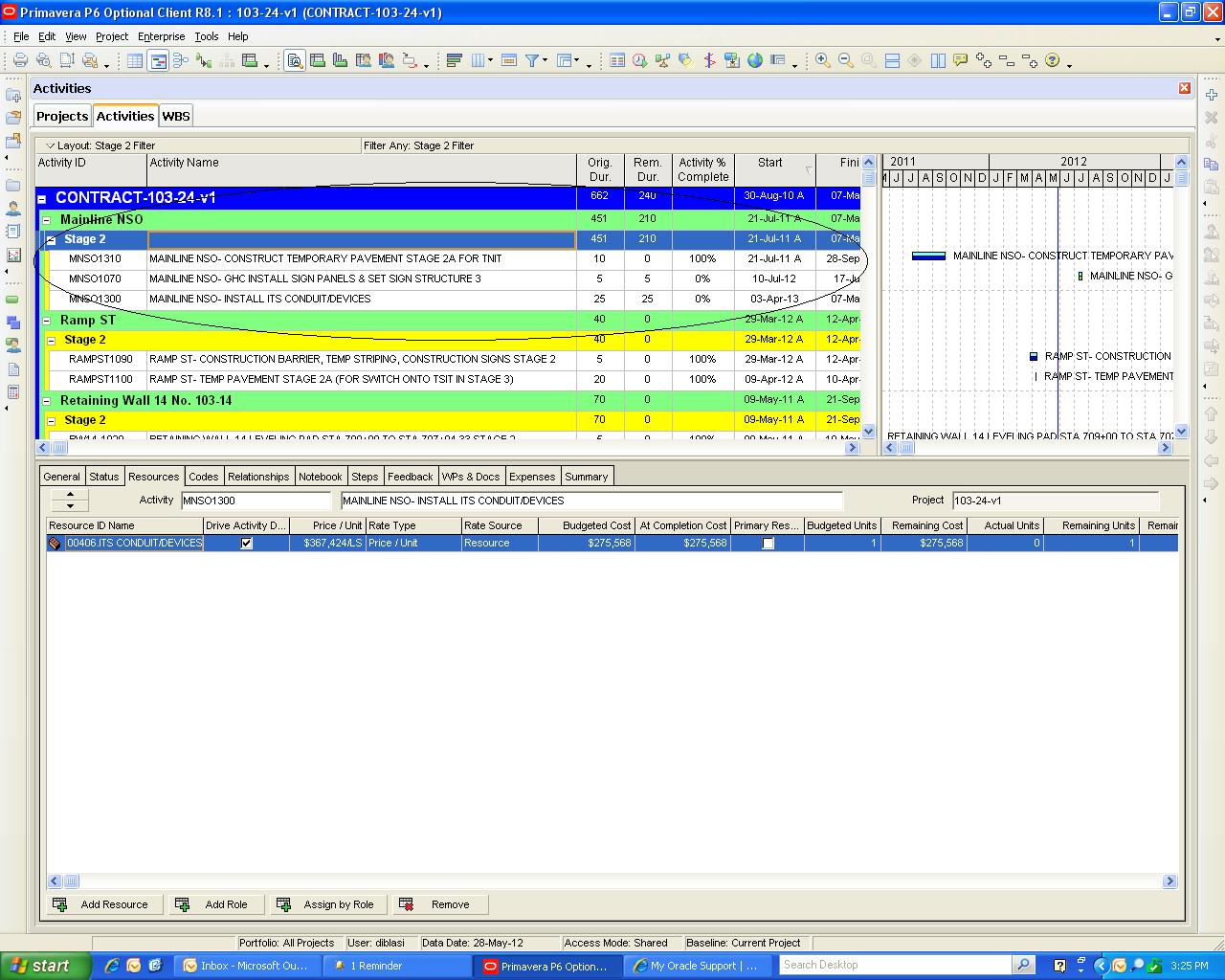
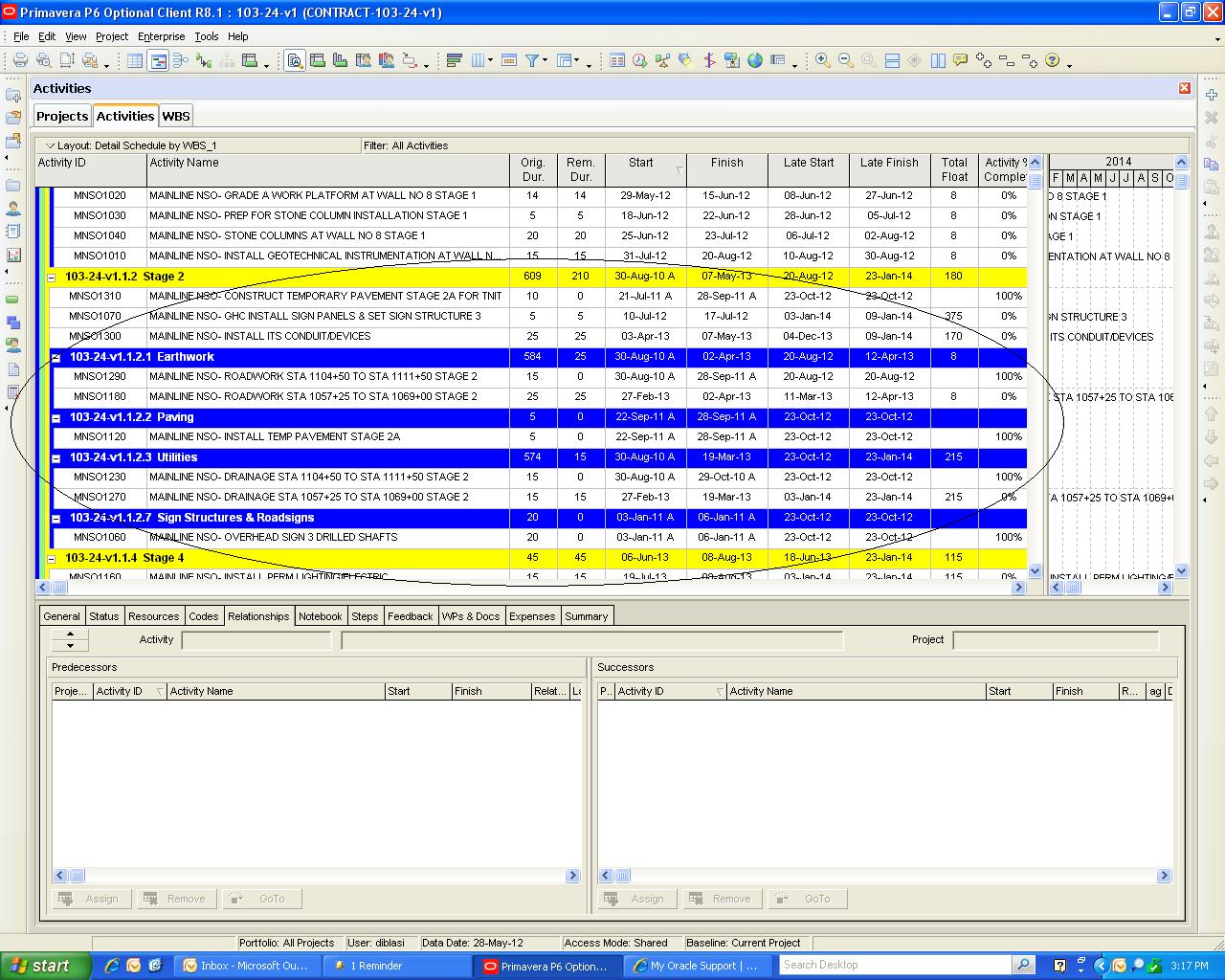
Filtering within a WBS
Forum Sponsor



Top Posters
Nick Johnson-Pond
3 posts
sairedz25
0 posts
Ahmed Awad
2 posts
Syed Shoeb
0 posts
Vimukthi
0 posts
bal aji
2 posts
Lee Mallek
23 posts
Viet Tran
9 posts
Ola Gbotoso
0 posts
Jaturapit Multongka
1 posts
Hi Sebastian,
I have good results using the WBS categories, easy to use: group on wbs and fill your WBS category column with your defined stages and filter on that.
Also the filter: WBS path- contains- stage/value does what you ask. It gives you the activities of lower stages.
I hope this helps,
Arend
Think out of the box, instead of it got to be using WBS consider using activity codes to create your filters.
Frequently I create my jobs using whatever WBS arrangement comes to my mind but also create user defined activity codes. Then from these activity codes I can create a couple of extra WBS dictionaries. Usually one WBS dictionary organized by Project/Area/CSI.Div. and another WBS dictionary organized by Project/CSI.Div./Area., is similar to organizing by codes but not equal.
If you insists on using WBS codes I believe the use of user defined fields shall do the trick. Copy the WBS codes on a user defined field using global change and create a filter, not by looking for an exact match but for a string starting at a specific character on the text values. I tried this approach with my software and it worked, but I still prefer the use of activity codes rather than text filters.