Hi
I was watching a video in which it used the following picture for group and sort and also filtered the activities on " in progress" and " Not started"
What is the benefit of using this?
Is it for seeing the critical activities? If yes, why not just filtering by " critical"?
( Would also appreciate it if you let me know what is the meaning of float path and what is the use of it)
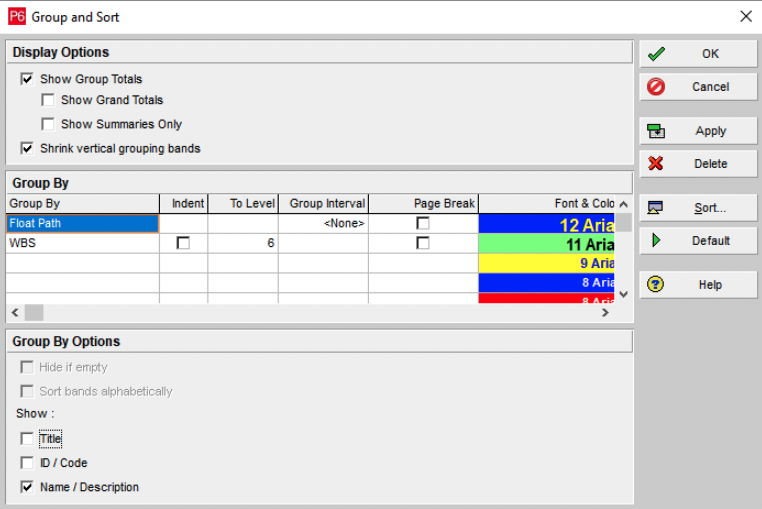



Note if you want to use the Float Path, at least on ver 16.1 or older you have to go to Tools, Schedule, Options, Advanced, - the check the box that says Calculate Float Paths, then you have to put a number - I do not understand why it asked, so I just put some random number like 300. When asked to analyze a schedule - Float Paths is the first thing I do. Schedules are generally by WBS - you can't follow them, the Float path shows you the sequences straight through- most important down (common sense will over-ride some).
Note if you want to use the Float Path, at least on ver 16.1 or older you have to go to Tools, Schedule, Options, Advanced, - the check the box that says Calculate Float Paths, then you have to put a number - I do not understand why it asked, so I just put some random number like 300. When asked to analyze a schedule - Float Paths is the first thing I do. Schedules are generally by WBS - you can't follow them, the Float path shows you the sequences straight through- most important down (common sense will over-ride some).
Right Click on the toolbar and select the Activity Critical Path Toolbar: see below
Rodel where is this tool bar located
If your schedule had a multiple path, the best way of checking the driving activity is to use the float path. The P6 r21 had a new tool bar that calculate float path or driving predecessor and successor activity called Activity Critical Path tool bar.