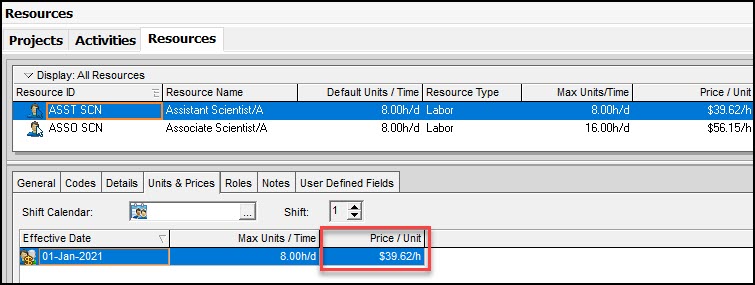
My ASST SCN has a payrate of $39.62 as diplayed below.
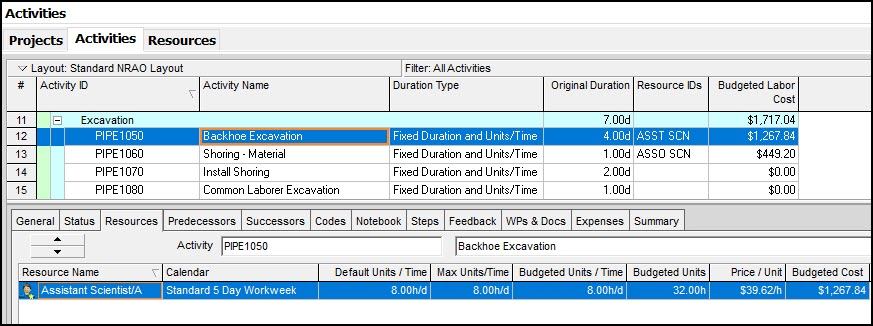
I export the below schedule with the respective activity resource assignments.
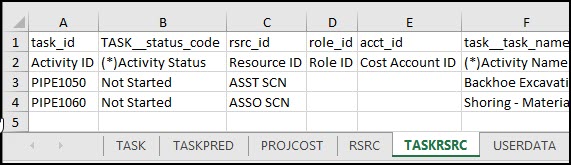
The exported TASKRSRC worksheet displays as below.
I import this Excel to a schedule with no resource assignments.
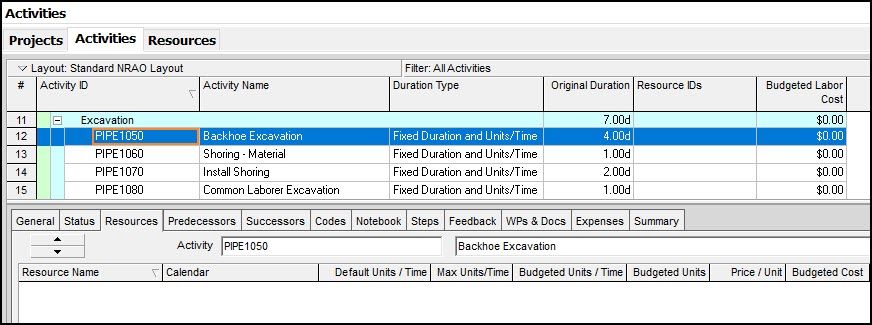
When the Resources and Resource Assignments are imported I get the below.
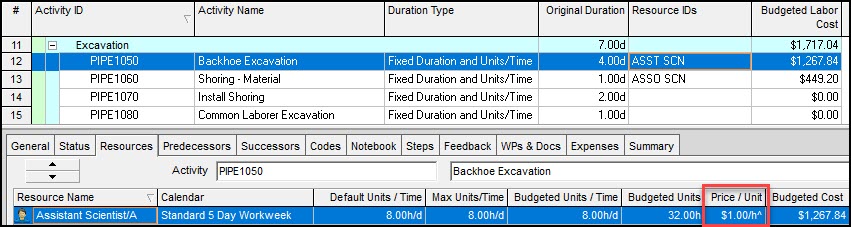
Why does the Price/Unit import as $1.00/h^?
And I cannot manually change the Price/Unit of Assistant Scientist/A.
The only way to correct the Price/Unit is to delete the resource assignment and re-assign the resource. But this defeats the purpose of importing the Resource Assignmnent from Excel.
Any thoughts?
--Steve



Rodel,
Okay, thanks, tools | recalculate assignment costs worked.
--Steve
Steve,
You need to check the default rate that new resource allocations use, which is in the 'Resources' tab at the project level. If you do not specify which rate to use on the Export/Import process (you can) , that is the one it will use.
Hi Steve,
I already explained to you why you are getting Price/Unit $1.00/h^. If you have the price/unit setup and after the import still showing Price/Unit = $1.00/h^ but having the correct amount, it means that you have not refresh the schedule assignment cost. To refresh, On the menu under Tools, select "Recalculate Assignment Cost" and a window pop-up will show as per sample below.
Click Recalculate and the assignment cost will be refresh.