Hi All,
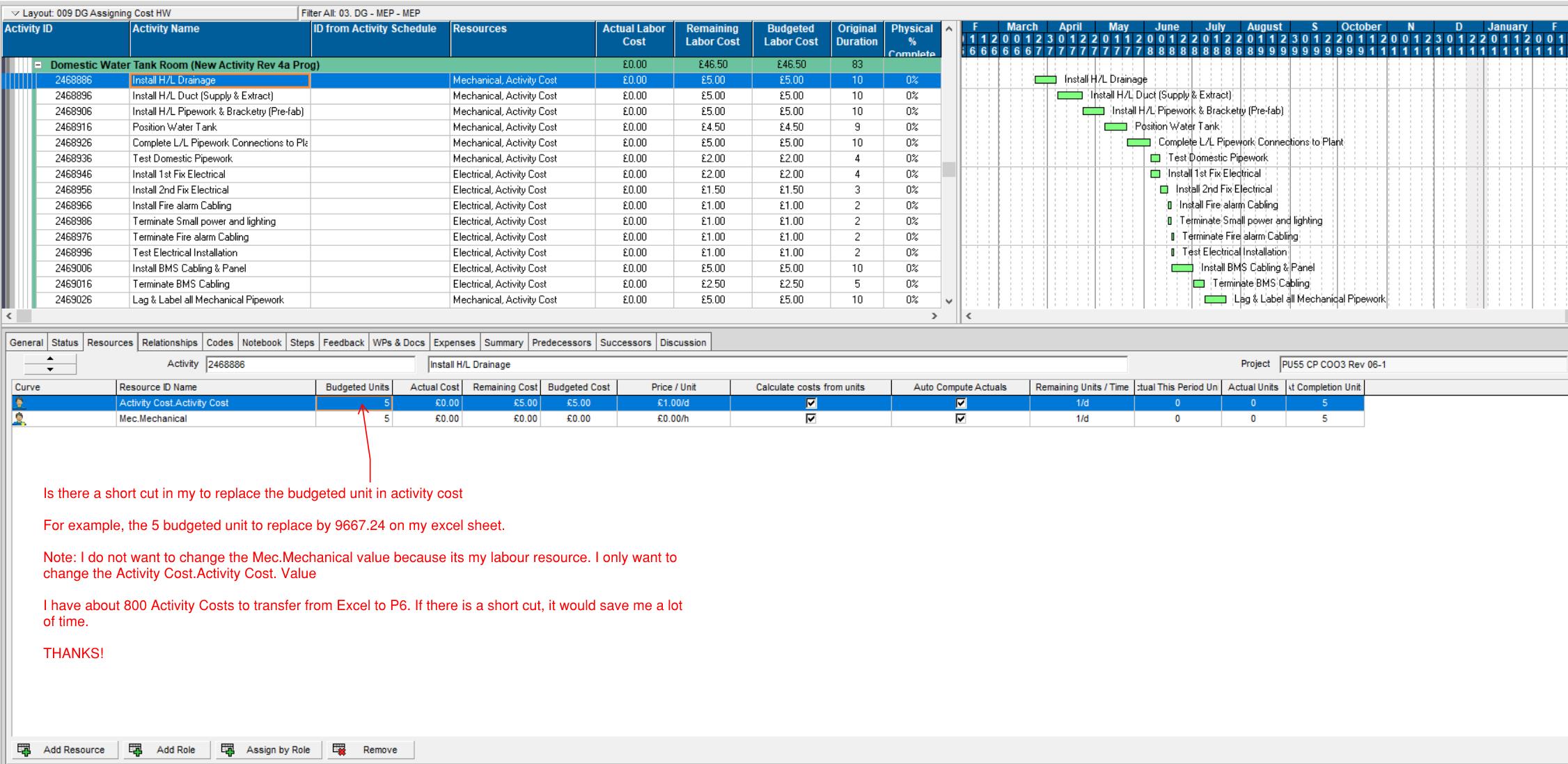
Is there a short cut in my to replace the budgeted unit in activity cost For example, the 5 budgeted unit to replace by 9667.24 on my excel sheet. Note: There are 2 budgetted unit in each activity. One is my cost and another is my resources. I do not want to change the Mec.Mechanical value because its my labour resource. I only want to change the Activity Cost.Activity Cost. Value I have about 800 Activity Costs to transfer from Excel to P6 to Activity Cost. If there is a short cut, it would save me a lot of time. THANKS!
Mike



Mike,
1) Open the project you want to change.
2) Select FILE>EXPORT
3) Select Spreadsheet XLSX as the export option
4) Select the Resource Assignments optoo
5) Ensure the chosen project is ticked
6) Select a Template, or add/modify and esnure this new template includes the data field you want exported (ie Budgeted units)
7) Select a directory and filename for the exported XLSX file and press Finish
8) Now you will have a list of all resource assignments and budgeted units. Modify this spreadsheet file as required, save and close.
Now back in P6,
9) select FILE>IMPORT
10) select Spreadsheet XLSX
11) Point to the file you saved in 8)
12) Select the project to import to and press finish.