Time to ask a question to those who are smater than I am.
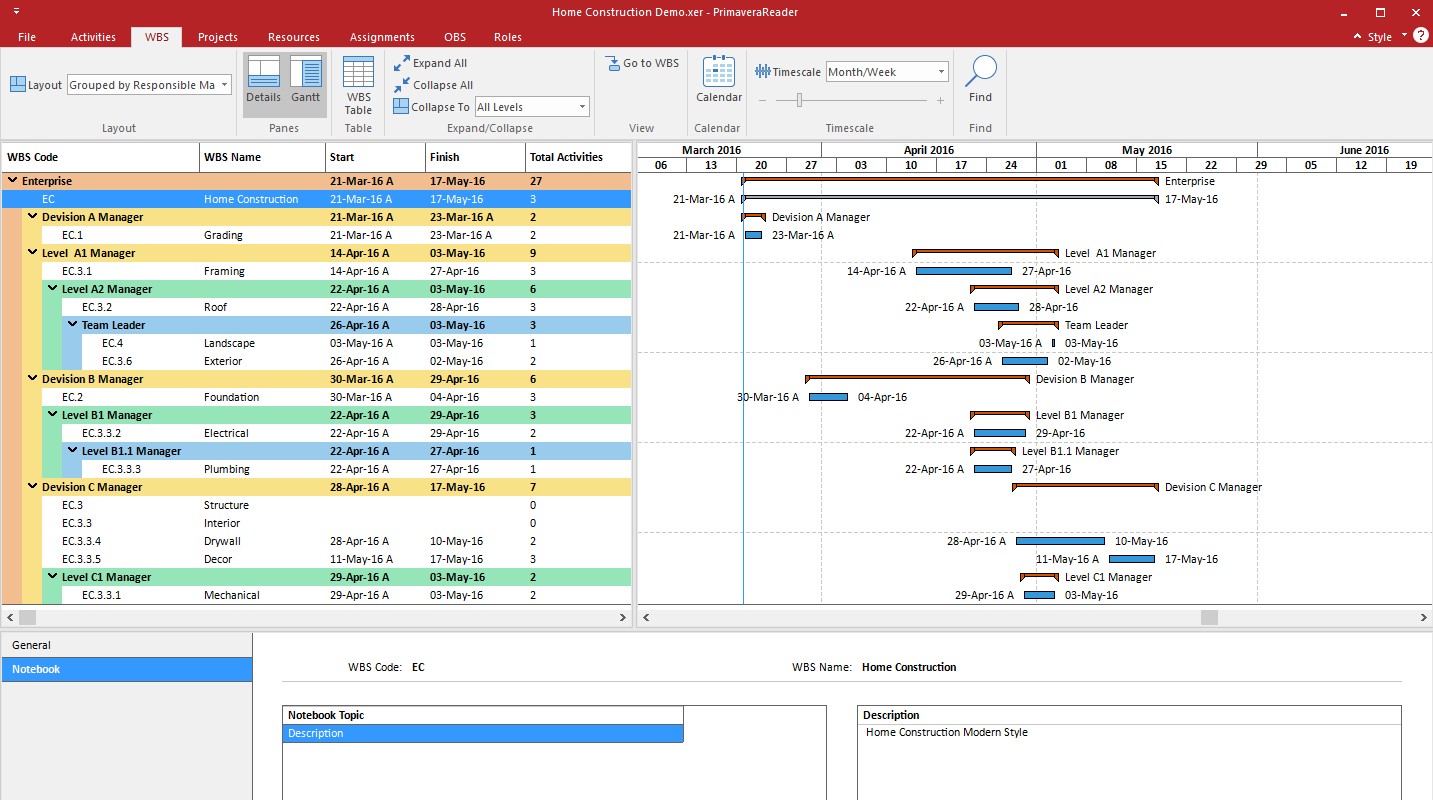
I have my WBS structure completed correctly as per below
When I switch to activities my WBS order is changed with construction activities at the top and general conditions/Preparatory work is at the bottom per below:
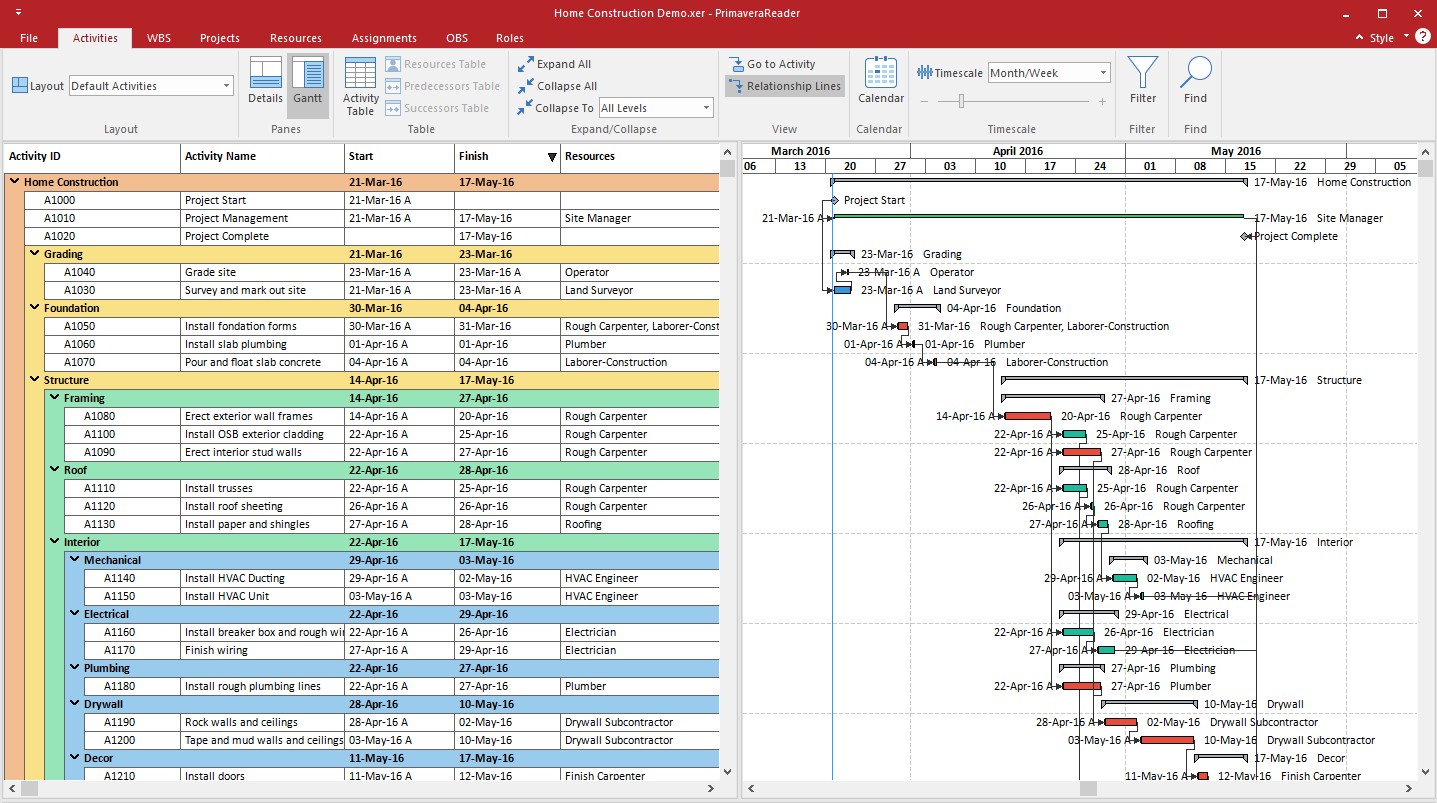
For printing purposes I would really like to get GC's and Preparatory work above construction activities on the activities page. No combo of layouts or group and sort seem to help, so I thought I would ask some more seasoned professionals to try and troubleshoot.
Thank you for the help in advance.



Justin, no problem, and thanks for following up with a response.
Santosh,
That worked perfectly. Thank you very much for the help.
Justin, in the WBS view, click on the WBS code column header, note that the Triangle will cycle through up, down and then into the Hierarchical display. The default sort for WBS in the Activity View is your hierarchical order.
You'll need to do the following
1) Change the WBS view to have the WBS code column sorted by Hierarchy
2) Use the Arrows (likely to be on the right side of the screen) to order the WBS codes into your required order. Note you can also click on any line and then press CTRL+Up/Down/Left/Right arrows to shift these about.
3) Leve the Acticity View Grouping to be by WBS.
Don't use WBS Path instead Group and Sort by Default. It will organize into Hierarchical.
Thanks for the input, sorting by WBS path gets it in the right order but then I lose my WBS names and the columns on the left.
Hi,
The WBS Layout seems sorted by Code in Ascending Order while in the Activity Pane WBS is sorted in hierarchical order.
Try to organize the WBS layout in Hierarchical Order.
Regards.