Hi Everyone,
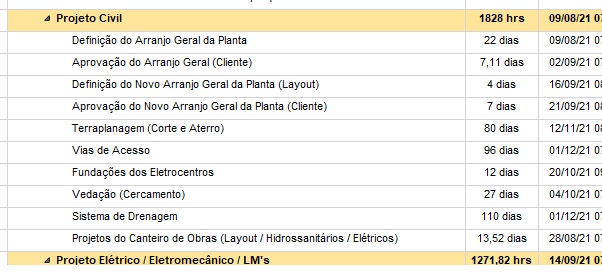
Somebody knows how write one formula to change the duration days to duration in hours? When changed from options >> schedule the change is only on the resume, I need to change the tasks too but using the tasks calendar information into the formula.
Best Regards,
Daniel














Hi Rodel,
Thank you very much, it works very well.
Kind regards,
Daniel Morais
Hi Daniel,
Easy....first you have to change the settings as follows:
Select File Options -> Schedule then change
- Duration is Enter in Hours
- Work is Enter in Hours
Once done close the settings window.
Then show the column Work (This should shows as hrs). Then highlight the whole column of Durations and press "Ctrl+C" to copy the duration in days. Select or click column Work heading to highlight and press "Ctrl+V" to paste the value. It will now automatically converted to hours.
Once done do the same in reverse. Copy Work column and paste it to Duration column and you will have all durations in hours.
You can fill zero again the Work column or leave it if you want some hours spread in timeline without resources.