Hi,
I have a production schedule for a project on a customers site. Our engineers work to my schedule and report back progress on a daily basis. The schedule has a baseline set and I update this schedule daily and produce a report which should highlight late tasks in a table. However, I have noticed that these late tasks aren't being correctly identified. If I insert the 'Status' field I can see that many of the tasks which are in the past (behind the current date and baseline date) are not identified as late. As an example, the date I set on Friday (31/07/2015) I have several tasks as far back as Baseline Finish dates of 27/07/2015 which are identified as 'On Schedule' or 'Future Tasks'. Clearly this is not correct. The Finish Variance field shows that there is a variation from the plan (see attached screen shot)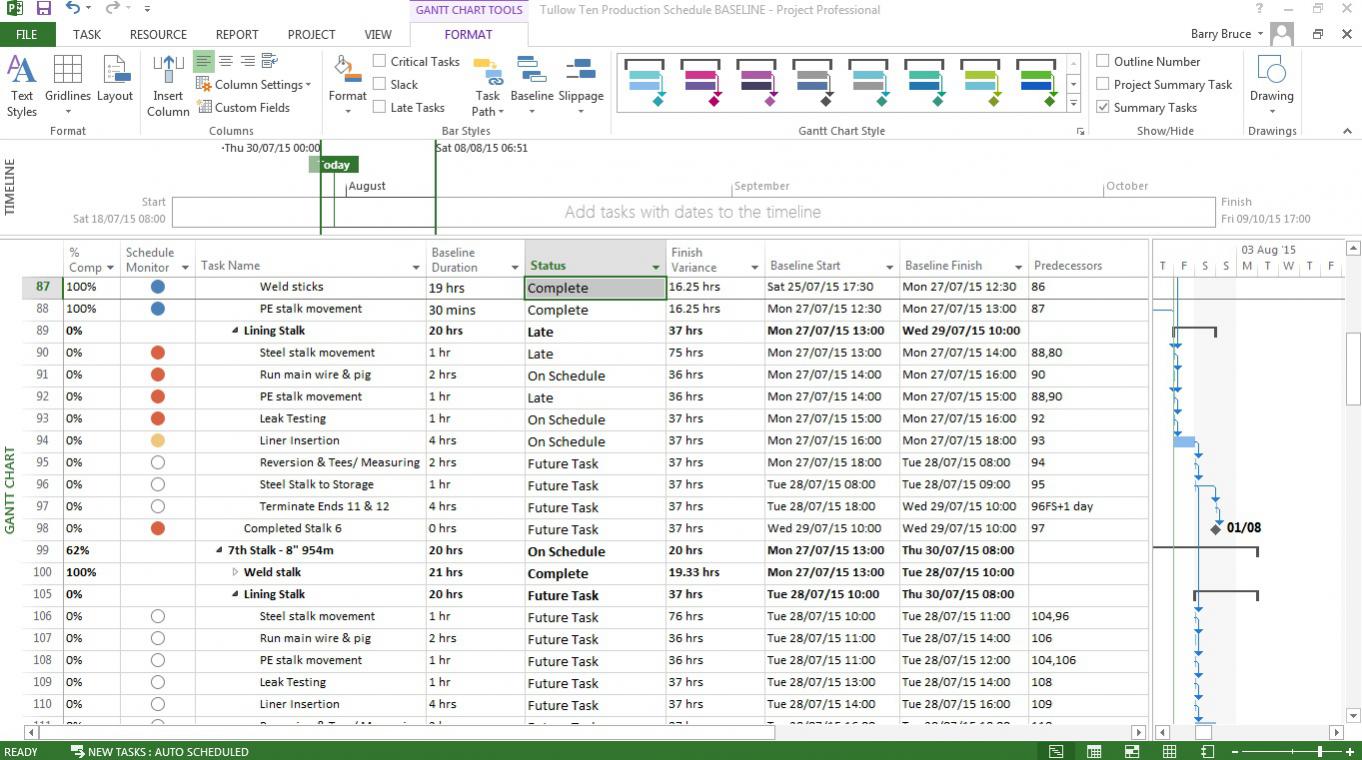 So I went back into my original file and re-set a baseline. I again updated the tasks to show the actual start and finish times my Site Manager gave me, while checking on future tasks which were 'Late'. As I began to update the tasks as 100% completed I noticed that tasks further down the schedule which were and should be 'Late' began to show as 'On Schedule' or 'Future'. These shouldn't be because my project is running behind schedule and several of these now 'On Schedule' or 'Future' tasks should have been completed 3 days before the current Status Date. Is this change happening because Project is automatically rescheduling tasks due to the project drifting from the original baseline schedule which I had set? I would like to show tasks which are 'Late' against the baseline. Could someone shed some light on what I am doing wrong?















Hi Barry,
The task "Status" field is computed on the basis of the current project schedule, percent complete, and the project status date. It is not related to any computed variances against baselines. See here: https://support.office.com/en-MY/article/Status-task-field-769145ac-e05… . As you can see, this field is not useful for tracking against baseline and seems to be aimed at a different group of users - I rarely look at it.
You might be better off tracking finish variance, which is the difference between the current schedule finish and the baseline finish. (A positive variance means the task is late.) You can create a custom field to flag late tasks using the formula {Flag1 = } [Finish Variance]>0.
At the very least, I would suggest adding baseline bars to your bar chart - they are included in the default "Tracking Gantt" view.
Good luck, tmb