Hello Fellow Asta travellers,
Anyone know how to change percentage complete if using overall percent complete in text annotations to show % instead of default two decimal places.
Am pointing to overall percentage which by default has two devcimal places, then changed this and refreshed view - annotation did not change.
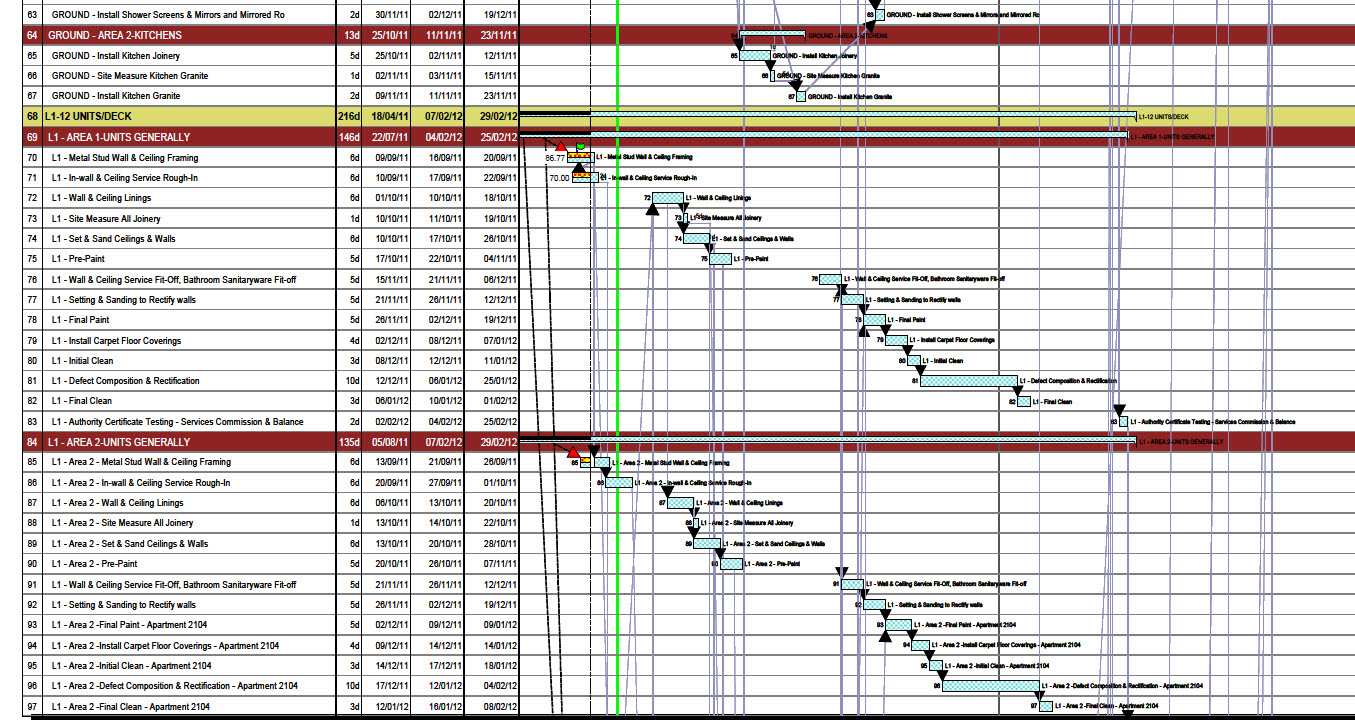
Whilst on this, is there somewhere were we can set default to no decimal places for all??
Thankyou in anticipation!



Hi Craig
I have just replicated your situation and the 2 decimal default is fixed - I could find no way to edit it.
You can put a text % symbol after the decimals.
Put it on the Asta Wish List for the next edition.
Best regards
Mike Testro
Hello Mike,
I understand how to change percent to show % in columns, however in this case I am using annotations in the chart area and I have set them to show the percentages.
The annotations do not change when you change the columns, they remain the same with two decimal places. It's the annotations I am unable to change formating of not the actual percentage column.
Cheers,
Craig Adams
Hi Craig
High Light the coloumn
Right Click and select Format Cells
Select Percent - select 0 decimals
Click OK and you get the percent sign.
Best regards
Mike Testro